
FAQ
Need help? Browse our how-to guides and FAQs to learn every feature of DiscGolf.Buzz.
Creating Your Disc Golf Buzz Account
Getting started is quick and free! Follow these simple steps to create your account. Registration page is located here https://discgolf.buzz/register
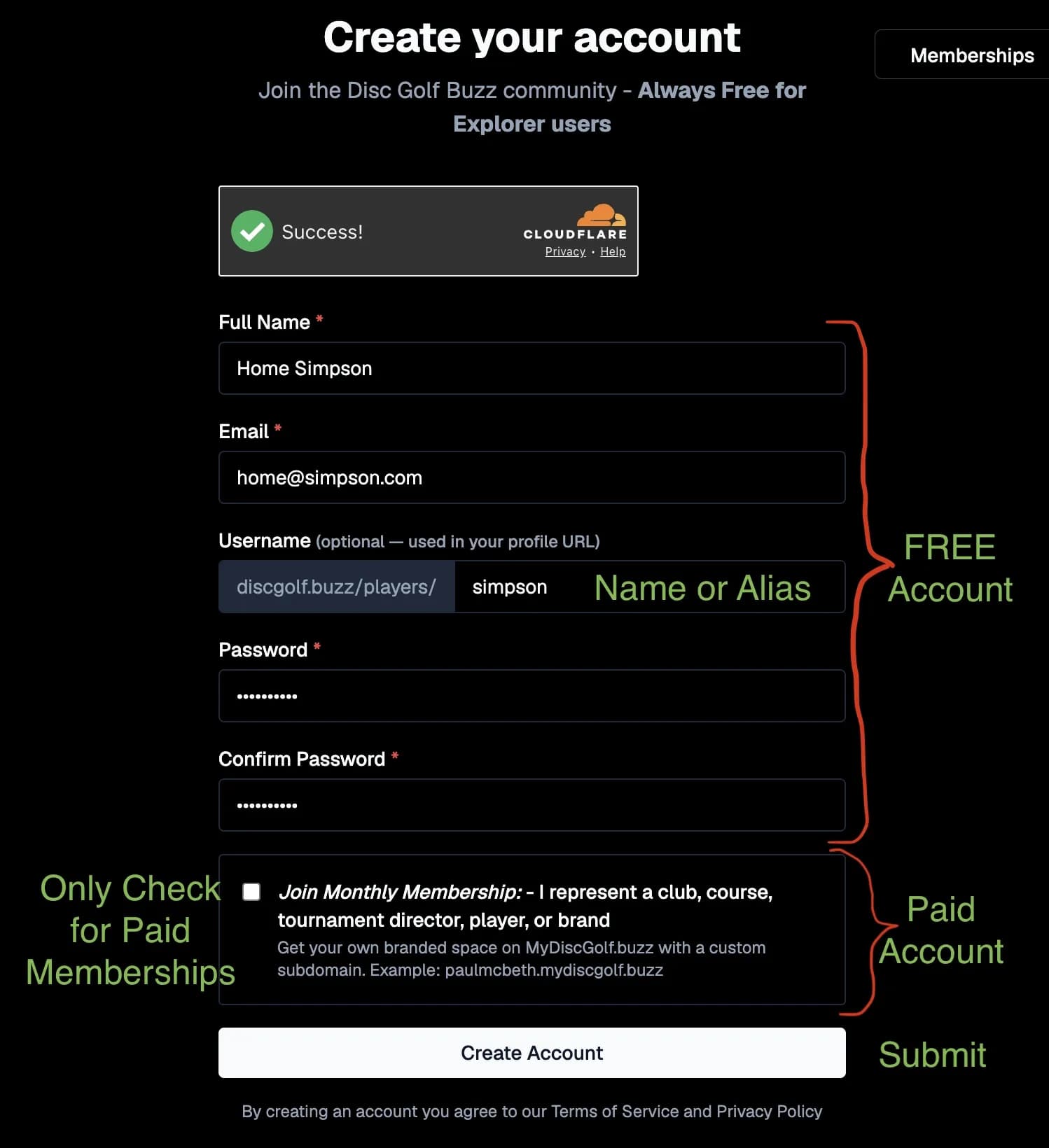
Step 1: Complete the Registration Form
Fill in the required information:
- Full Name – Enter your real name or the name you'd like associated with your account.
- Email Address – Use a valid email address for account verification and notifications.
- Username (Optional) – Choose a unique username or alias. This becomes part of your public profile URL.
- Example:
discgolf.buzz/players/yourusername
- Example:
- Password – Create a secure password.
- Confirm Password – Re-enter your password to confirm it.
Note: A username isn't required during registration, but choosing one makes it easier for others to find your profile.
Free Explorer Account
If you're joining as a player or simply want to explore the community:
- Leave the Monthly Membership checkbox unchecked.
- Click Create Account.
Your free account gives you access to the Disc Golf Buzz community and player features at no cost.
Paid Membership (Optional)
The Monthly Membership checkbox is only for users who want a paid membership. Check this box if you represent or are:
A Disc Golf Club, A Course, A Tournament Director, A Professional or Amateur Player, A Brand or Business
Paid memberships include additional benefits such as:
Your own branded subdomain, Example: yourbrand.mydiscgolf.buzz, A customizable page to promote your organization or brand., Advertising and promotional opportunities. Additional membership features and tools as they become available.
Topic: Listing a Disc on Market Place
Step 1: Creat Listing
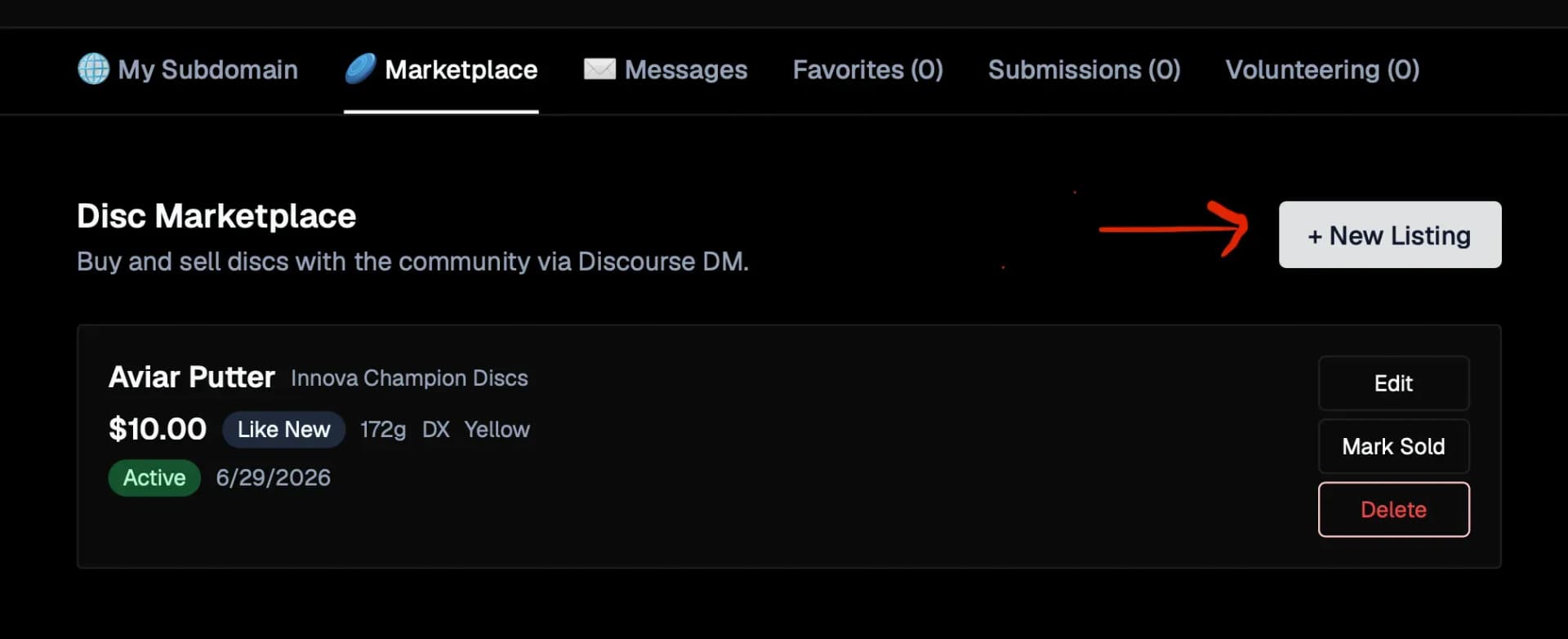
Click the + New Listing button in the upper-right corner of the Marketplace tab to start selling a disc. This opens the listing form where you'll select your disc, add details, upload photos, and set your asking price.
Step 2: Search Disc
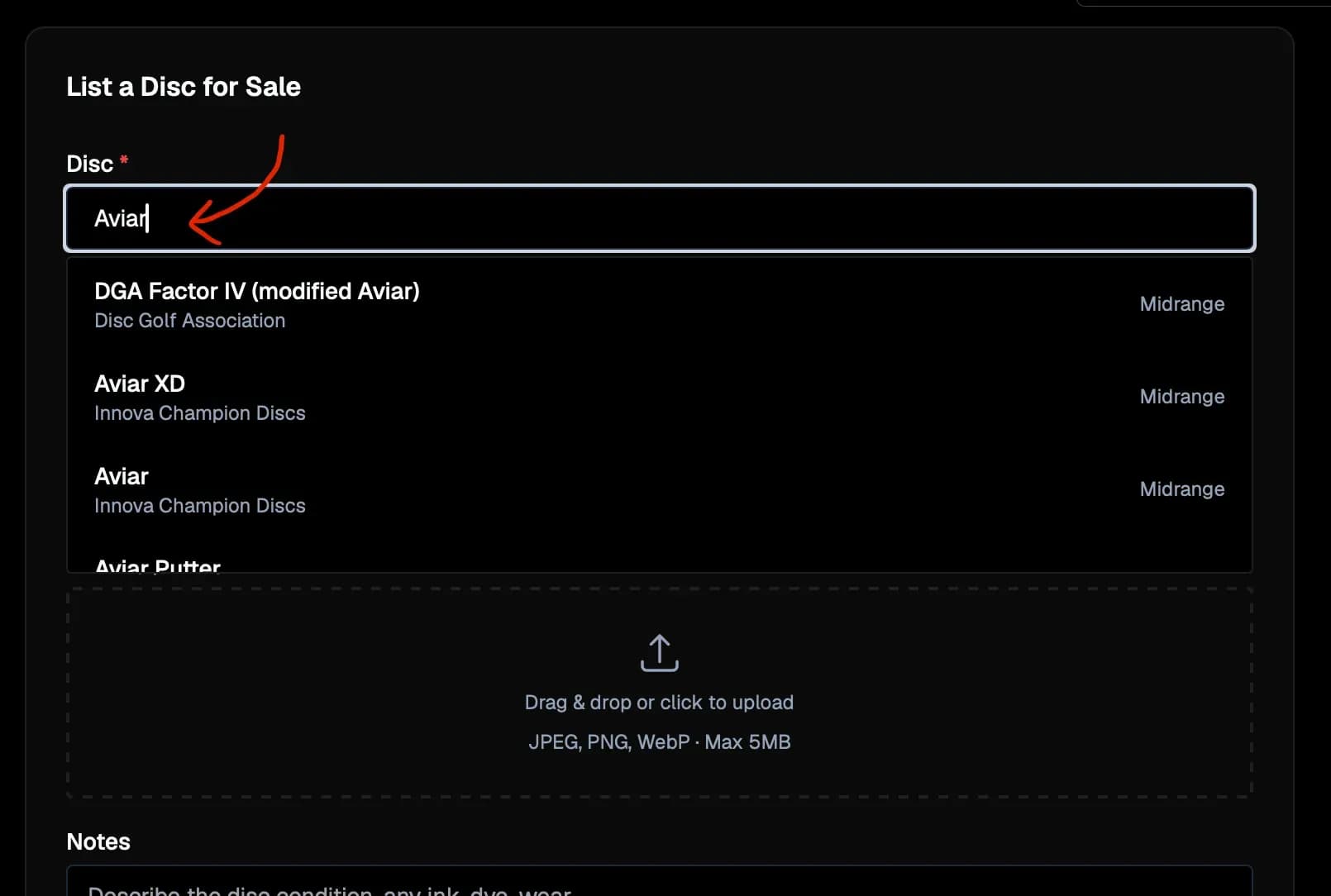
Start typing the name of your disc or its manufacturer in the Disc field. As you type, matching results from our directory of over 2,348 disc molds will appear instantly. Simply click the correct disc from the list to continue creating your listing.
Step 3: Fill in Information
Complete the remaining fields to help buyers know exactly what you're selling. Set the disc's condition, enter your asking price, add the weight, plastic type, and color, then upload a clear photo if you'd like. You can also include notes about wear, ink, stamps, or anything else a buyer should know before reaching out.
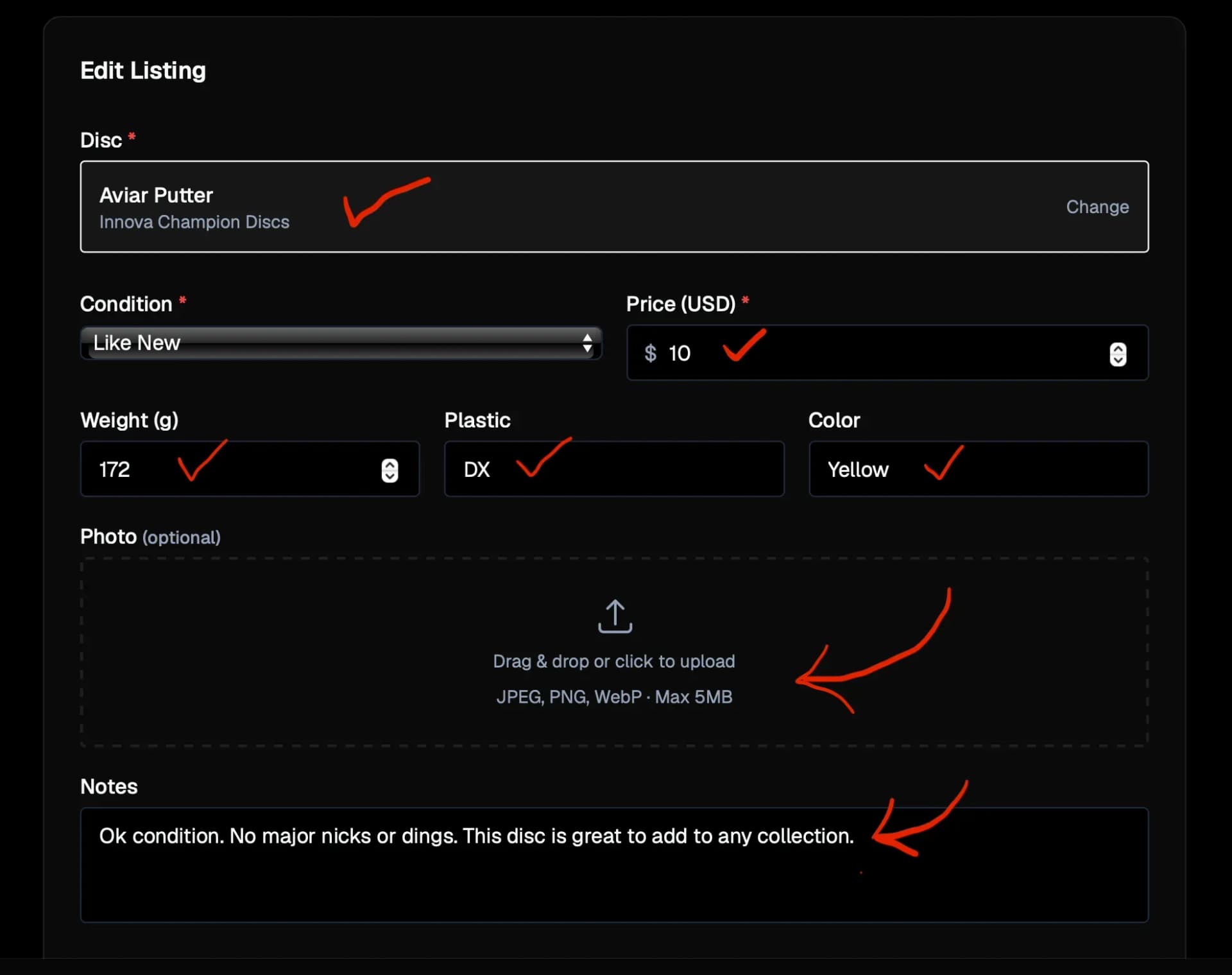
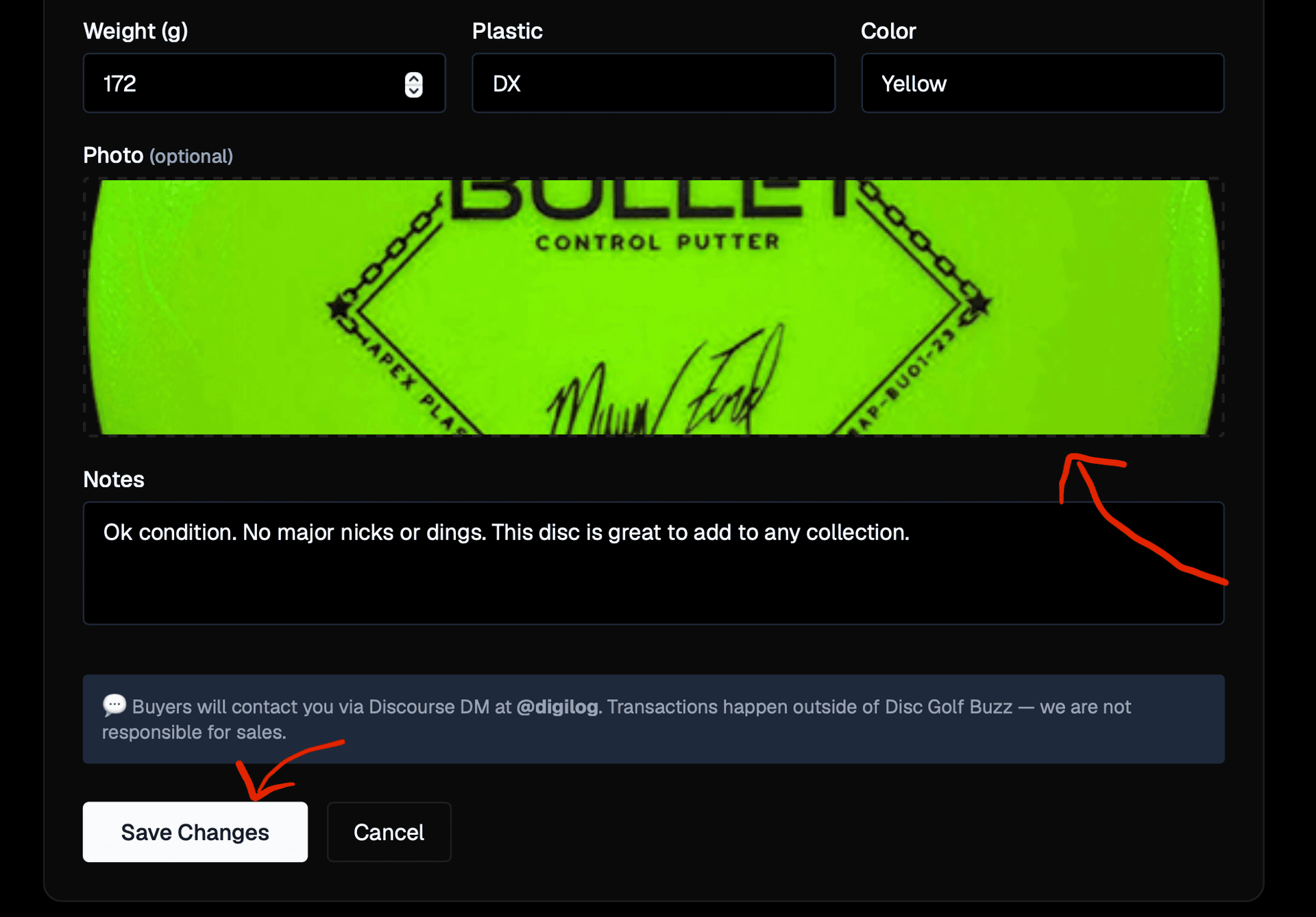
Step 4: Upload a Photo & Save Your Listing
Drag and drop a photo into the upload area or click it to select an image from your device. Once you've finished filling out the listing details, click Save Changes to publish your listing. Your disc will immediately appear in the Community Marketplace and on its corresponding disc page, where other members can view it and contact you through Discourse DM.